
Invoicing connected to the work.
Build an invoice from the same client and project you've been tracking. Share a link, offer installment plans and record payments, all without leaving Wundesk.
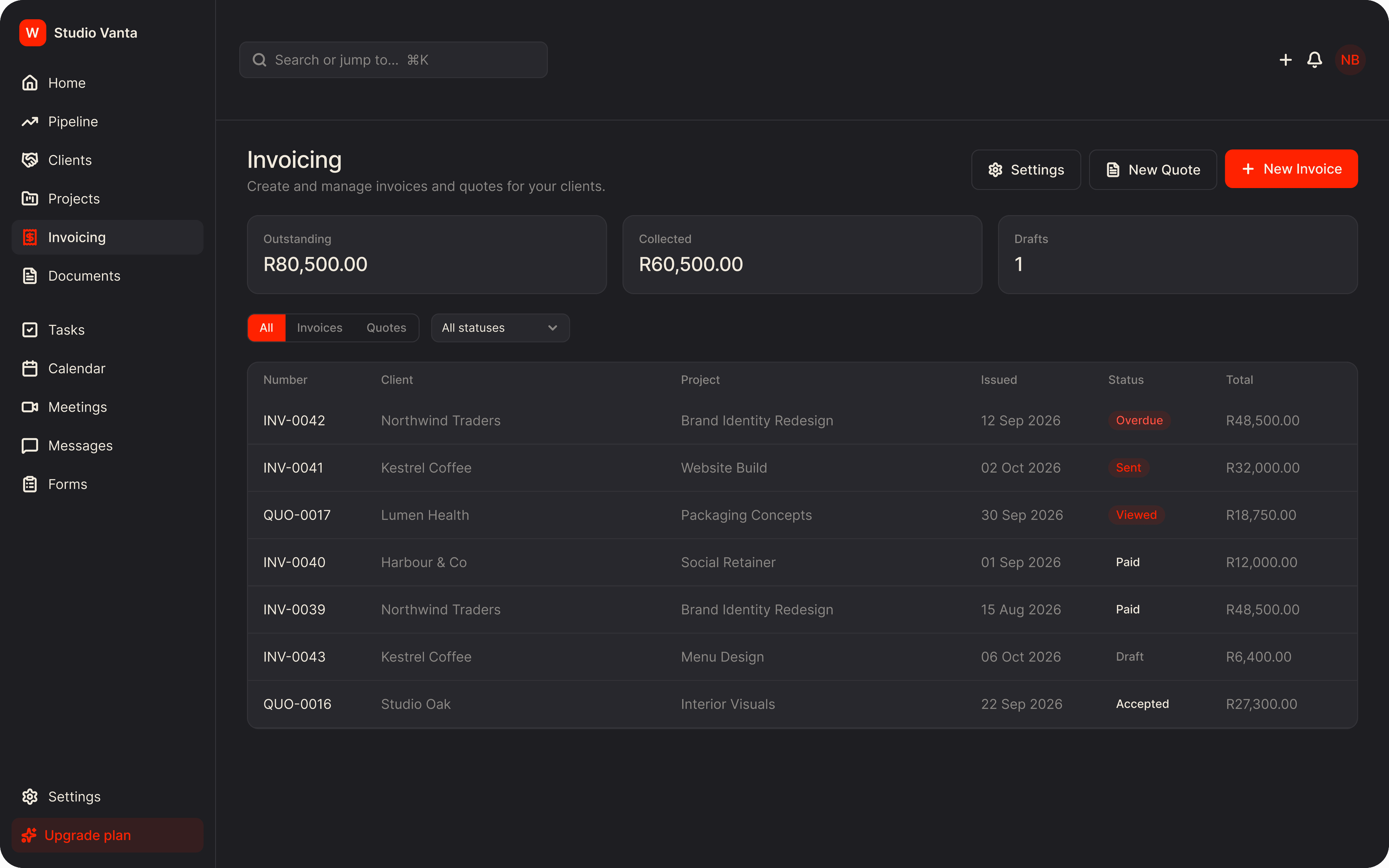
The old way. The Wundesk way.
The old way
- Invoices built in a separate template, re-typing client details each time
- No view of what's outstanding across all your clients
- Payment plans tracked by hand
The Wundesk way
- Pick a client and their details fill in for you
- Outstanding, collected and draft totals at the top of the page
- Installment invoices generated for you
Why Wundesk Invoicing?
Everything it does, in detail.
01
Invoices and quotes, side by side.
A form on the left and a live A4 preview on the right, so you see what the client will see.
- Choose a client and their billing details fill in
- Link the invoice to a project
- Add line items with quantity and rate
- VAT and discount percentages, with the total worked out for you
- Currencies: ZAR, USD, EUR, GBP and AED
02
Share it with one link.
Publish an invoice and send the link. The client sees a clean, professional page.
- A shareable link, with a copy button
- Download a PDF from the same page
- Your logo, business details and notes on the invoice
- Terms and conditions on every invoice
03
Installment plans.
Let a client pay a larger invoice in parts, and have the invoices created for you.
- Split into 2, 3, 4 or 6 payments
- Child invoices are generated, each with its own due date
- Each installment is numbered against the parent invoice
04
Get paid, and keep track.
Show clients how to pay you, then record each payment as it lands.
- Bank details and a payment reference on the invoice
- Record a payment with date, amount, method, reference and notes
- Attach proof of payment, up to 5 MB
- An invoice is marked paid once payments reach the total
How it works. Three steps.
- 1
Set up your business
Add your logo, business details and bank details once. They're copied onto each new invoice.
- 2
Create the invoice
Choose a client, add line items and watch the preview update.
- 3
Share and record
Publish, send the link, and record the payment when it arrives.
Plus everything you'd expect.
Quotes
Create a quote that's valid for 14 days by default, then mark it accepted or declined.
Status tracking
Draft, sent, viewed, paid, overdue and cancelled.
Dashboard widget
Upcoming invoices on your home page.
Client billing
Outstanding and collected for each client.
Unsaved-changes guard
Save as draft or discard before you leave.
Filters
Filter by type and status in the invoice list.
Stop stitching tools together.
Everything a freelancer needs to run client work, in one place, from $9/mo.