
Messages with context.
Talk to clients inside the same place you do the work. Every conversation is organized by client and thread, so you never hunt for the right one.
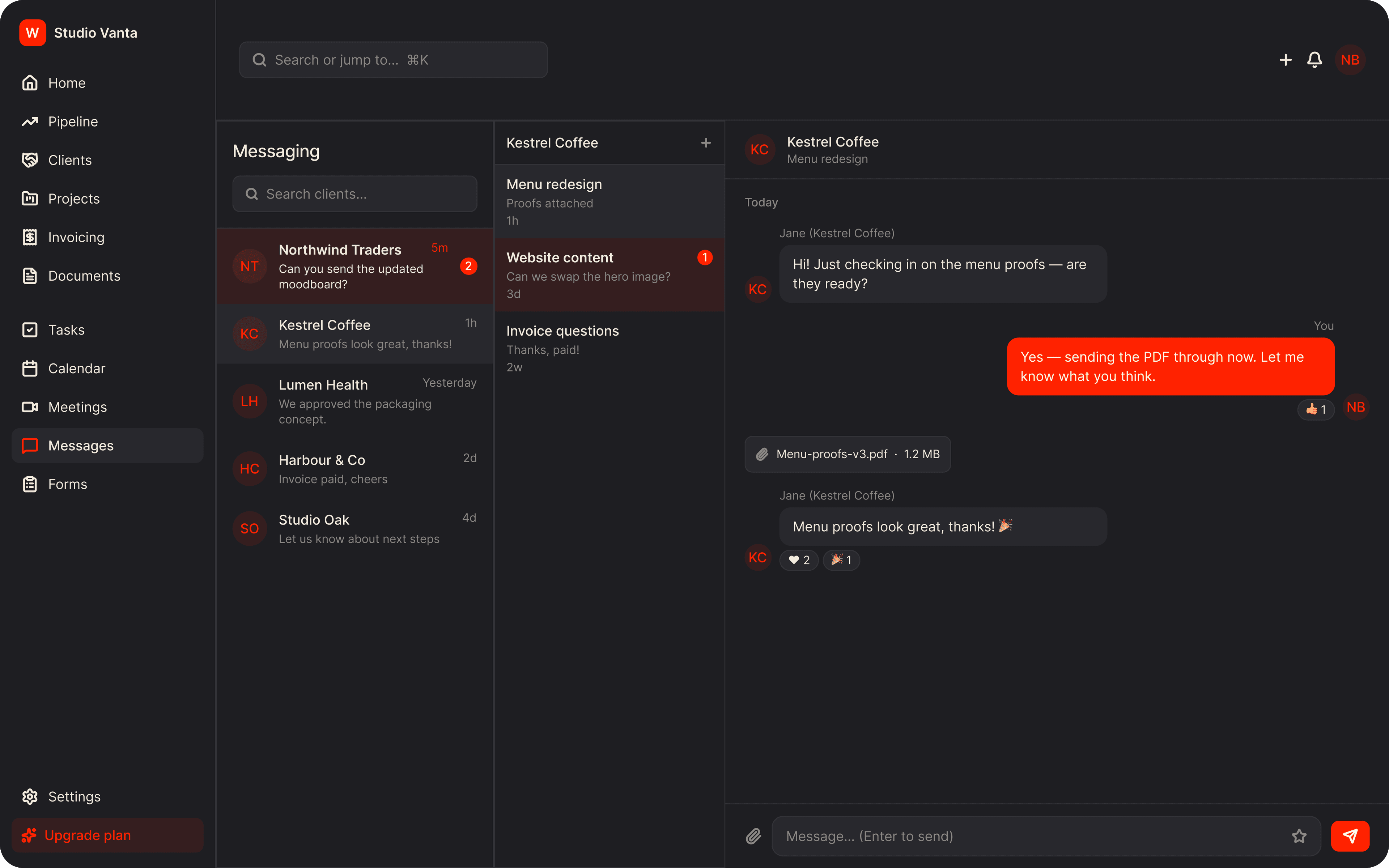
The old way. The Wundesk way.
The old way
- Client conversations split between email, WhatsApp and DMs
- Attachments you can't find three weeks later
- No clear sign of who's waiting on a reply
The Wundesk way
- One inbox, grouped by client and conversation
- Files sent in the conversation they belong to
- Unread badges on clients, threads and the sidebar
Why Wundesk Messaging?
Everything it does, in detail.
01
A three-pane inbox.
Pick a client, pick a thread, and reply.
- A searchable client list, unread first
- Several named threads per client, so topics stay separate
- Enter to send, Shift+Enter for a new line
- Messages show instantly while they send
02
Say more than text.
Attach files, drop in an emoji or react to what was said.
- Attach multiple files of any type; images show inline
- An emoji picker with categories and search
- Reactions on any message
- Your availability status shows on your avatar
03
Know when something arrives.
Stay on top of replies without refreshing.
- New messages arrive live
- Unread counts on the sidebar and each conversation
- An in-app notification for the team when a client writes
- Opening a thread marks it read
04
The same conversation, on the client's side.
Clients message you from their portal, in the same threads.
- Threads and chat inside the branded portal
- Clients can start a new thread
- Attachments and reactions work both ways
How it works. Three steps.
- 1
Start a conversation
Choose a client and create a thread with a clear title.
- 2
Chat and share
Send messages, files and reactions.
- 3
Stay on top of replies
Unread badges and notifications show you where to go next.
Plus everything you'd expect.
Status presets
Available, Away, Busy, Offline or a custom emoji and text.
Thread titles
Name each conversation so you can find it again.
Inline images
Pictures show up directly in the chat.
Client-side badges
Clients see unread counts in their portal.
Dashboard widget
The latest conversations on your home page.
Relative timestamps
See at a glance how recent each message is.
Stop stitching tools together.
Everything a freelancer needs to run client work, in one place, from $9/mo.