
The short answer
The best client portal for a freelancer depends on whether you want an all-in-one suite that manages contracts and invoicing, or a lightweight, branded hub that keeps files and progress updates out of your inbox. Most solo designers, developers, and consultants get the best results from platforms that let clients view project stages and documents without forcing them through a complicated login setup.
Here's a quick comparison before we go deeper into each tool:
Tool | Best for | Standout feature |
Solo freelancers & small studios | Passwordless branded client portals via a single shareable link | |
Workflow automation | Deeply customizable forms, proposals, and triggered sequences | |
Creative service providers | Smooth inquiry-to-booking timeline and mobile experience | |
Replacing multiple subscriptions | All-in-one CRM, time tracking, project board, and client portal | |
Contract and legal templates | Vetted freelance contract library paired with straightforward billing | |
Productized agencies | Sleek white-label portal with custom domains and third-party embeds | |
Heavy system customizers | Granular permission controls and extensive all-in-one feature set | |
Modular workspace layouts | Drag-and-drop dashboard customization for client views | |
Productized service packages | Storefront order intake, recurring billing, and status tracking | |
DIY flexible workspaces | Fast, inexpensive custom pages if you already work inside Notion |
How we evaluated these client portals
To build this list, we looked at the practical friction points freelancers face when moving client communication out of email threads:
- Client ease of use: How fast can a client open their portal, view progress, and complete an action without needing a tutorial or extra password?
- Branding and white-labeling: Does the portal reflect your business with your logo, colors, and fonts, or does it feel like a generic third-party tool?
- Core workflow coverage: How well does the platform handle the essentials, including project stages, file sharing, intake forms, contracts, and invoicing, without adding agency bloat?
- Solo-friendly pricing and setup: Is the tool priced and structured for an independent operator or small studio rather than a fifty-person team?
1. Wundesk
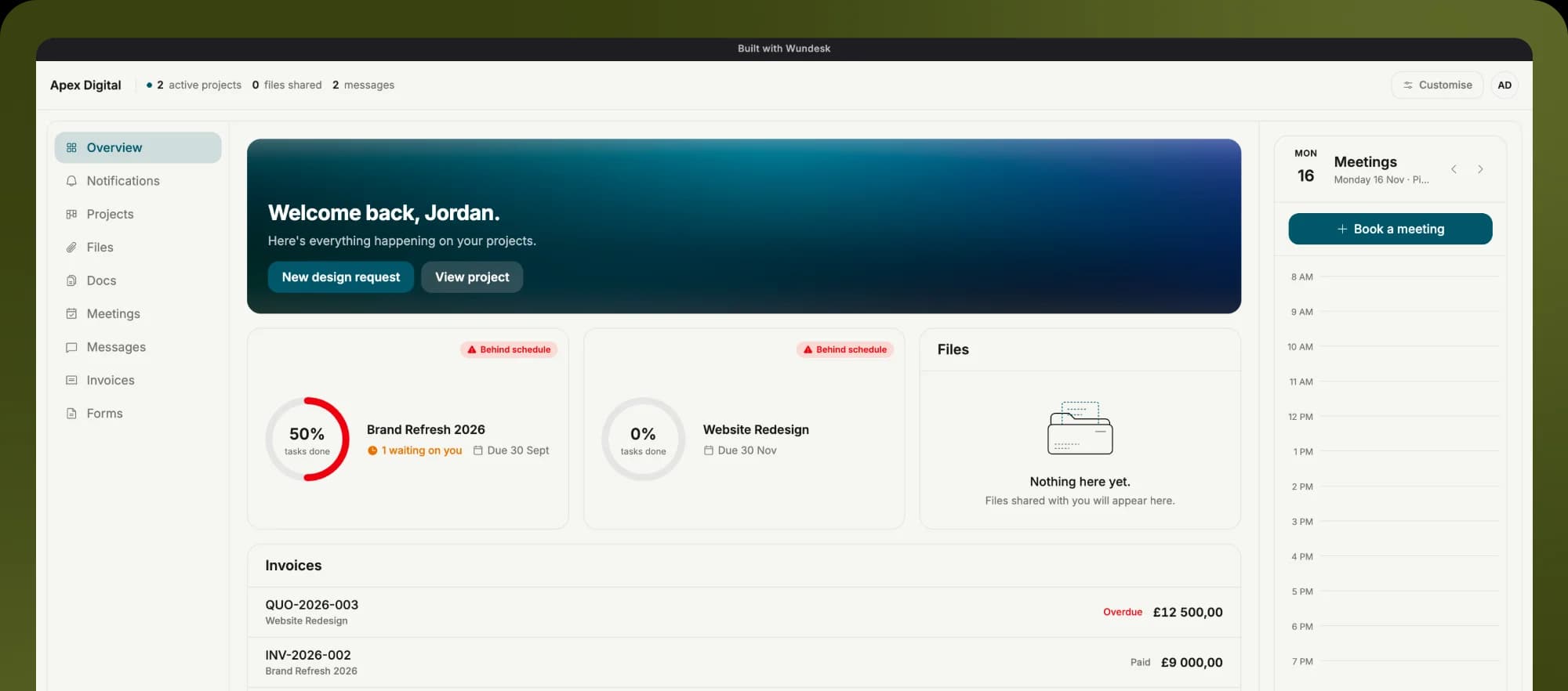
Wundesk makes it easy to fully customize client portals
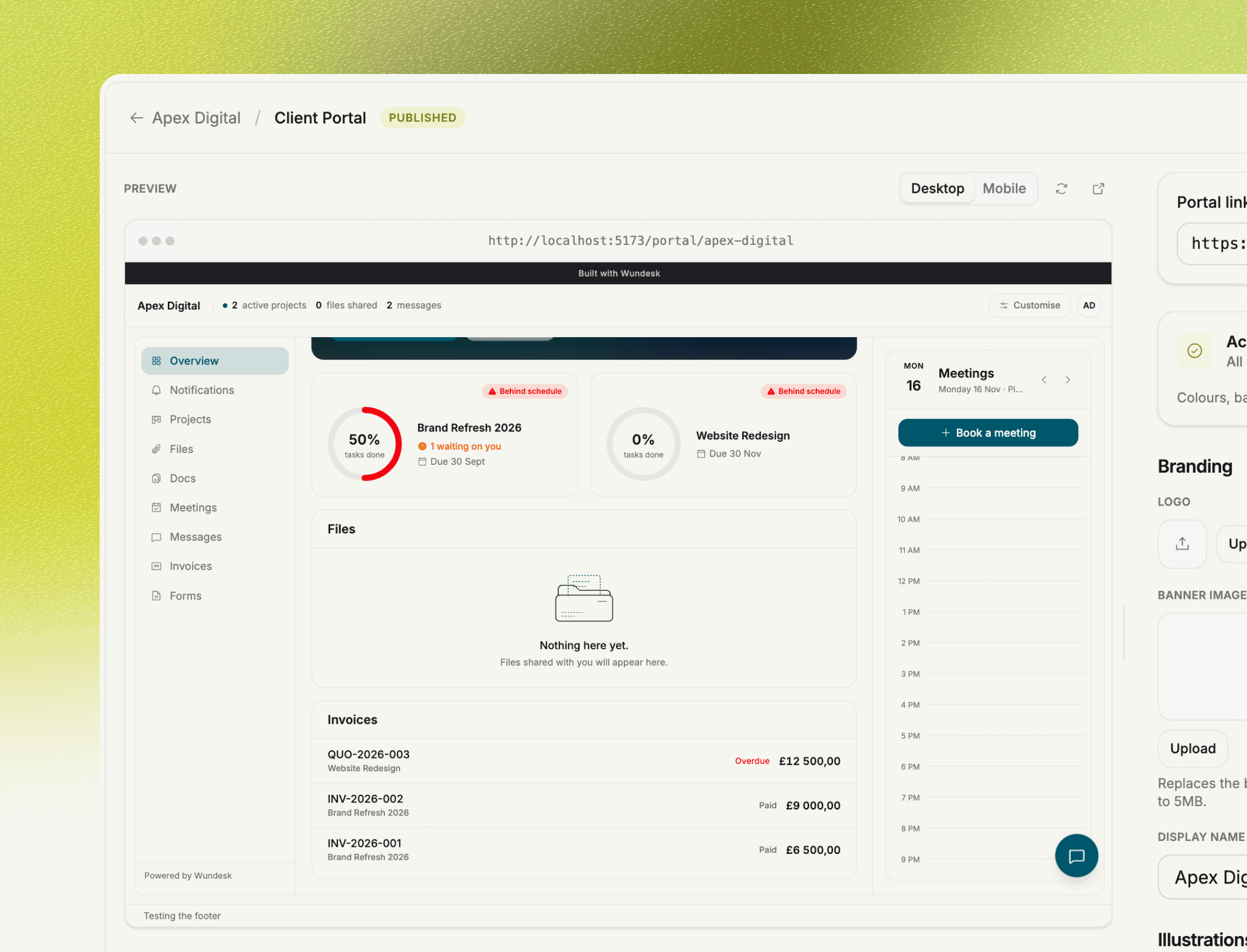
Wundesk is an all-in-one client and project management platform built specifically around the way independent creatives and small studios work. Instead of forcing clients to create an account and remember another password, you share a single private link that opens their dedicated portal.
Inside their portal, clients see what belongs to them and nothing else: which stage their project is currently in, client-visible progress updates, intake and feedback forms, documents to review, and invoices showing your bank transfer details. You can apply your own logo, colors, and fonts on every plan, keeping the experience consistent with your brand.
Key features
- Private, branded client portals opened from a single shareable link with no client account required
- Visual project stages and client-visible updates that reduce status check-in emails
- Built-in form builder with guided and classic styles published straight to the portal
- Quotes, invoices with shareable links and payment plans, plus project time tracking
2. Dubsado
via Dubsado
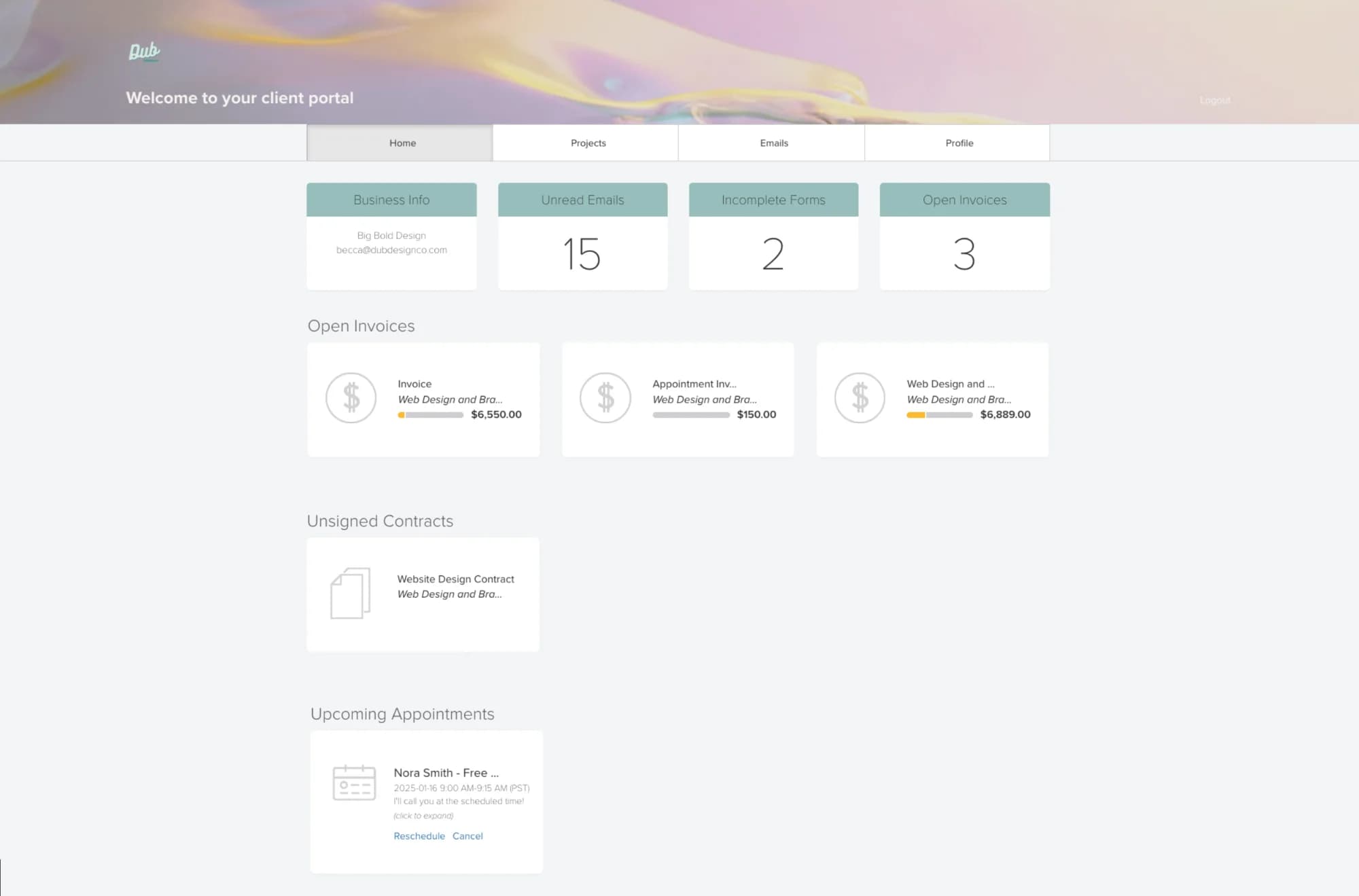
Dubsado is a long-standing client management platform widely used by designers, photographers, and event professionals. Each client gets a dedicated portal where they can access active contracts, proposals, questionnaires, and invoices in one place.
Where Dubsado stands out is its automation engine. Once configured, it can send forms, trigger follow-up tasks, and unlock next steps automatically as a project moves forward. The main trade-off is the learning curve: building out your templates and conditional workflows takes dedicated setup time before it runs smoothly.
Key features
- Custom-branded client portals housing all historical emails, forms, and invoices
- Multi-step automated workflows triggered by form completions or payments
- Built-in appointment scheduler with calendar syncing
- Reusable proposal, contract, and questionnaire templates
Why consider Dubsado: If you follow a repeatable step-by-step client process and are willing to invest time upfront in configuration, Dubsado automates a large share of routine project admin.
3. HoneyBook
via Honeybook
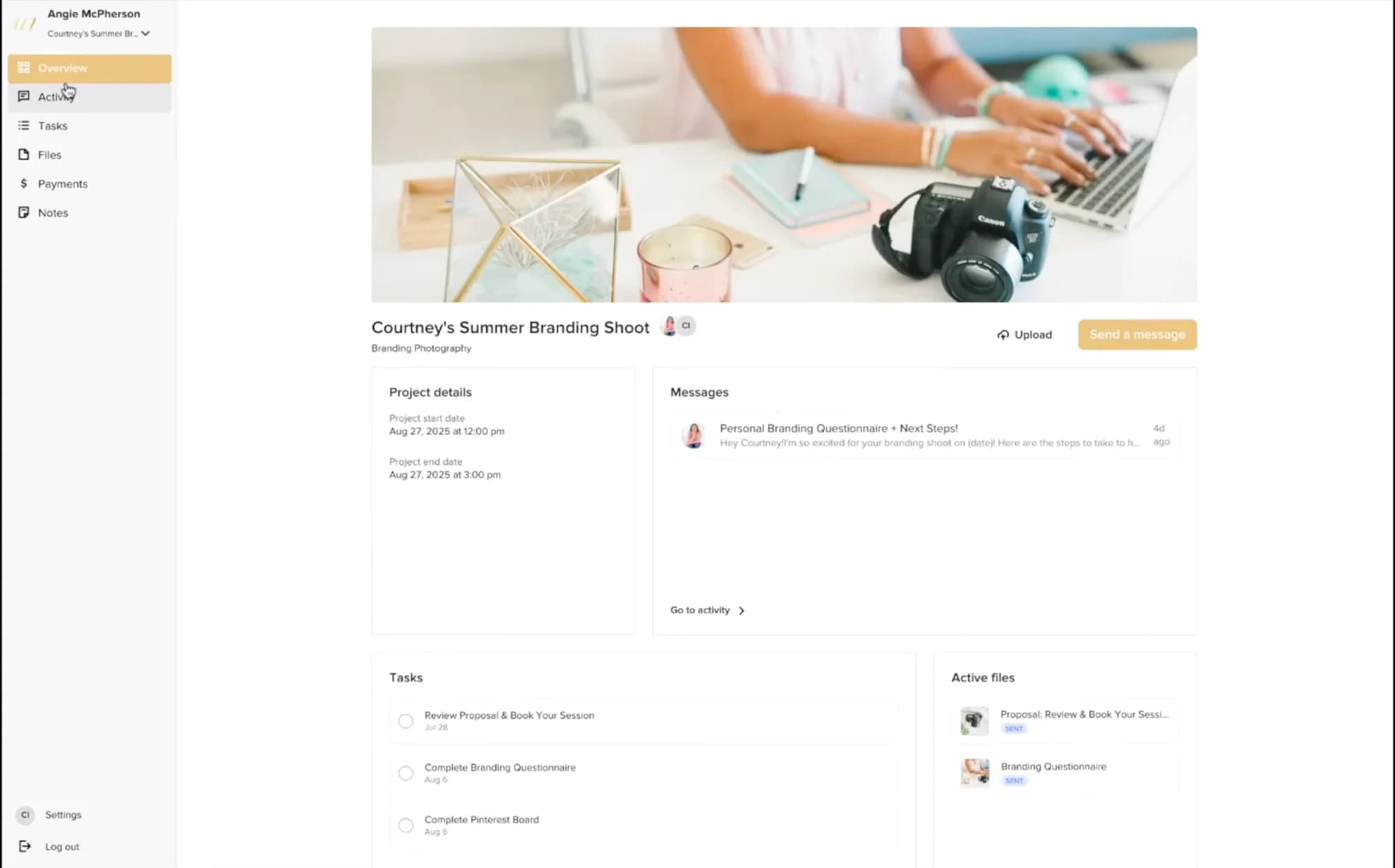
HoneyBook centers on helping independent businesses move clients smoothly from initial inquiry through proposal, contract, scheduling, and payment. Its client workspace organizes files, messages, and milestones into a clean, chronological feed that feels approachable for non-technical clients.
It is particularly strong for mobile workflows and fast client onboarding. However, if you manage complex, multi-week deliverables with detailed task stages, its project tracking feels lighter than dedicated project management platforms.
Key features
- Interactive all-in-one files combining proposals, contracts, and invoices
- Clean client workspace with shared files, messages, and payment schedules
- Integrated session booking and calendar availability
- Strong iOS and Android apps for managing inquiries on the go
Why consider HoneyBook: It delivers a smooth, guided client experience during onboarding and billing, especially for service providers who book fixed sessions or straightforward creative packages.
4. Moxie
via Moxie
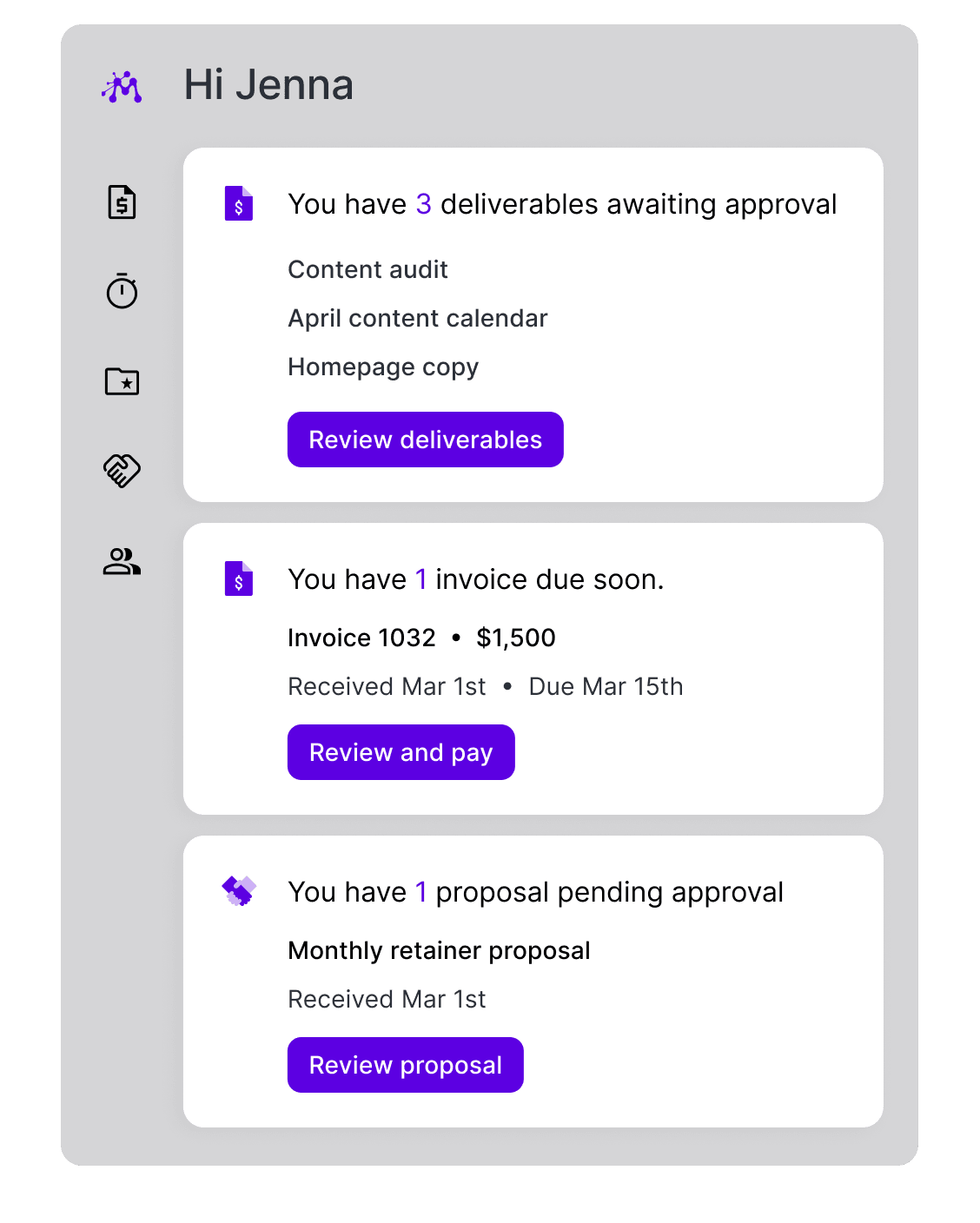
Moxie combines a sales pipeline, project management board, time tracker, accounting tools, and a client portal inside a single platform built for solo operators. From the client portal, your clients can review project deliverables, check milestone progress, approve work, and view invoices.
Because Moxie packs nearly every back-office function into one app, the dashboard carries a lot of panels and settings. Once you learn where everything lives, it eliminates the need to stitch together separate tools for proposals, tasks, and time logs.
Key features
- Branded client portal with deliverable approvals, file sharing, and milestone visibility
- Integrated Kanban and list project views paired with built-in time tracking
- Proposals, contracts, and recurring invoicing in one system
- Basic expense tracking and tax estimation tools
Why consider Moxie: It gives solo freelancers a complete operational suite at an accessible price point without needing third-party integrations for everyday admin.
5. Bonsai
via Bonsai
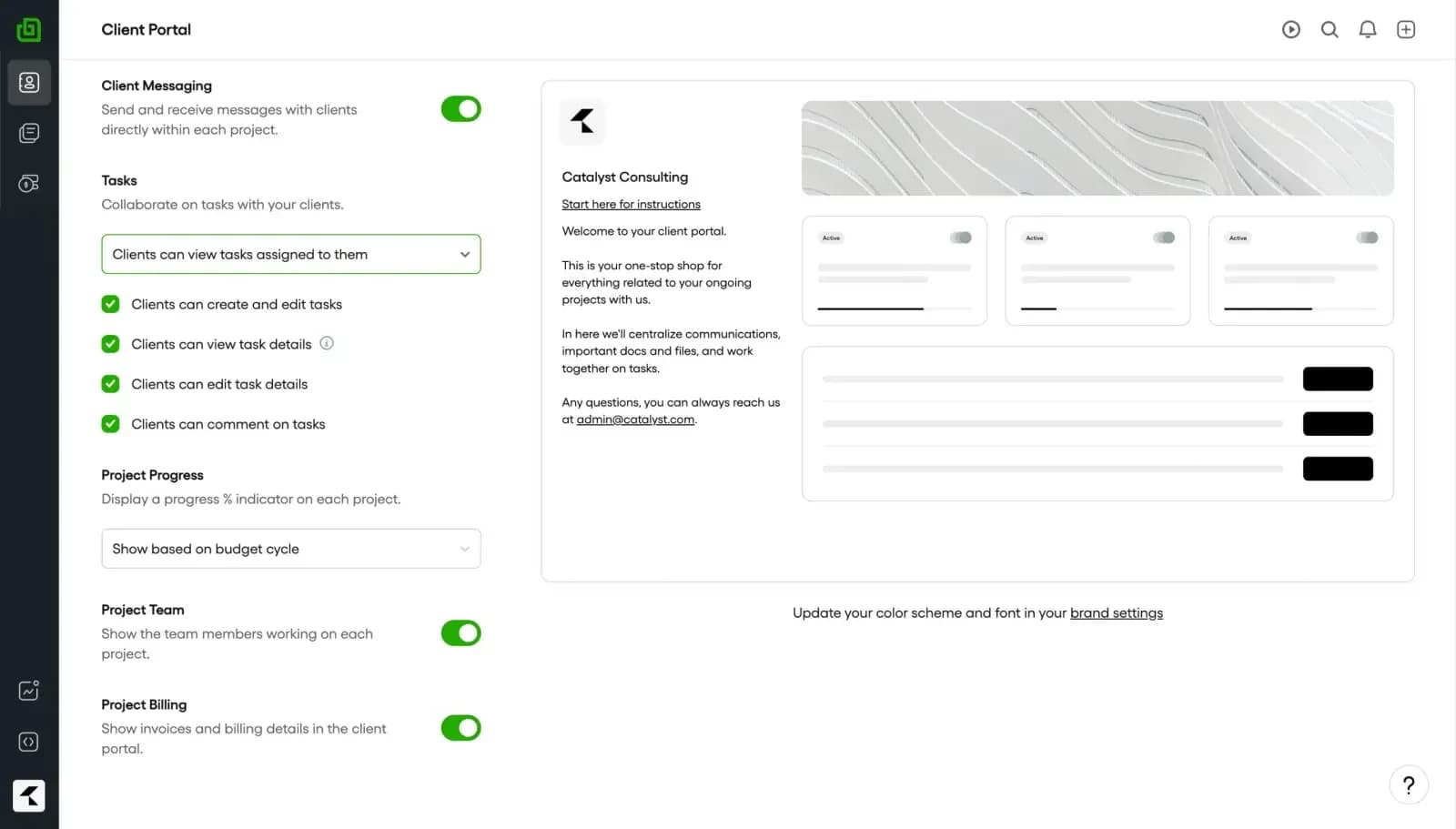
Bonsai began as a contract and invoicing tool for freelancers before expanding into a full client management platform with a built-in client portal. Clients can access their portal to review shared documents, track project tasks, submit forms, and pay invoices.
Bonsai's standout advantage is its library of legally vetted freelance templates for contracts, scopes of work, and proposals across dozens of creative and consulting disciplines. The client portal itself is clean and functional, though visual customization is more restrained than design-first platforms.
Key features
- Extensive library of customizable freelance contract, proposal, and scope templates
- Client portal organizing active projects, shared files, forms, and billing history
- Integrated time tracking that converts directly into itemized invoices
- Built-in bookkeeping, expense categorization, and tax helpers
Why consider Bonsai: It removes the stress of drafting contracts from scratch while giving clients a reliable, organized place to handle approvals and paperwork.
6. Assembly (formerly Copilot)
via Assembly
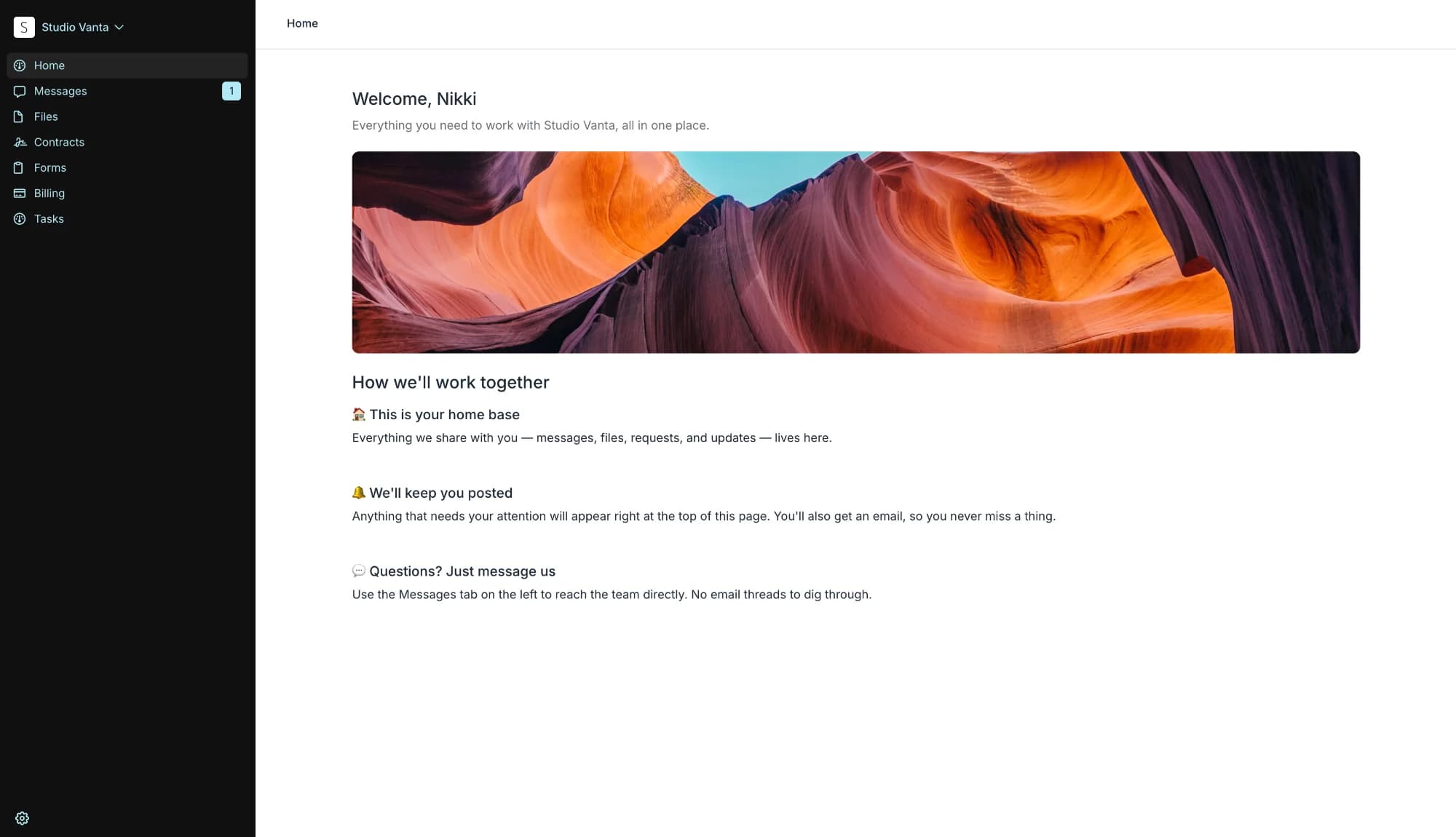
Assembly (widely known under its previous name, Copilot) is a modern client portal platform designed to give service businesses a custom-branded client hub. It allows you to connect messaging, billing, file sharing, intake forms, and third-party app embeds, such as Figma prototypes, Airtable bases, or Loom videos, inside a single interface.
The client experience is sleek and supports custom domains, making it feel like proprietary software. The main consideration for solo freelancers is cost: pricing is geared toward scaling agencies and high-ticket productized services rather than independent operators with a small client roster.
Key features
- Full white-label customization including custom domains and branded email notifications
- Seamless embedding of external tools like Figma, Notion, and Airtable
- Modular app setup so you can toggle billing, files, forms, and messaging per client
- Built-in client messaging and file management
Why consider Assembly: If your business model relies on embedding interactive third-party workspaces and you have the budget for an agency-grade portal, Assembly offers one of the most polished client interfaces available.
7. SuiteDash
via SuiteDash
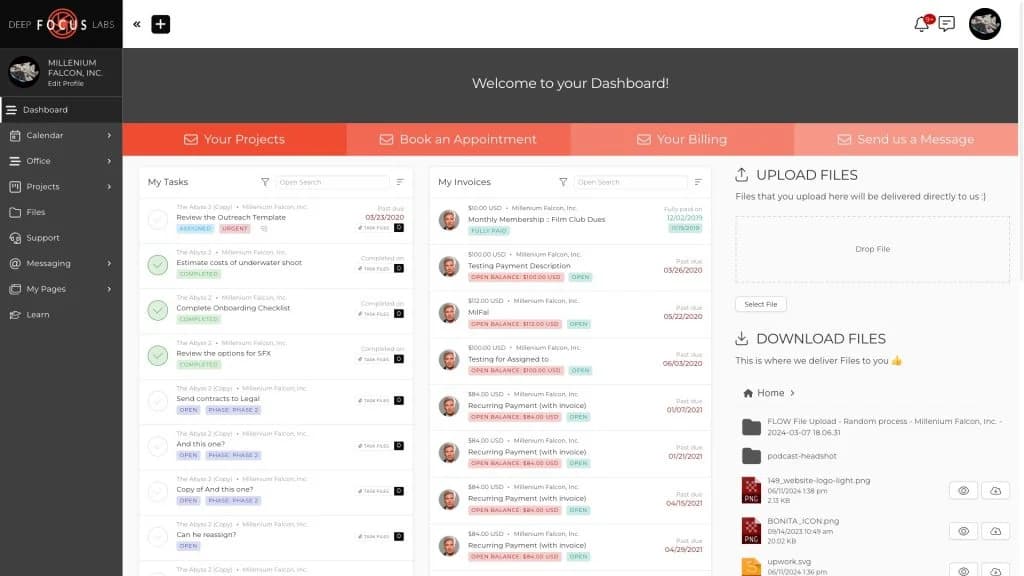
SuiteDash is an all-in-one business suite combining a white-label client portal with CRM, project management, appointment booking, learning modules, and file exchange. You can customize portal dashboards down to individual user roles, custom URLs, and dynamic content blocks.
It offers a massive amount of functionality for its price tier, though the interface feels denser and more utilitarian than newer design-led tools. Getting your portal structured cleanly requires patience during initial setup.
Key features
- Custom-branded portal environments with custom login URLs and role-based permissions
- Combined CRM, project templates, task dependencies, and time tracking
- Secure file exchange folders and dynamic client dashboards
- Automated onboarding sequences and contract signing
Why consider SuiteDash: It works well for consultants and technical freelancers who want strict control over what different stakeholders see and prefer an all-in-one system over paying per feature.
8. Plutio
via Plutio
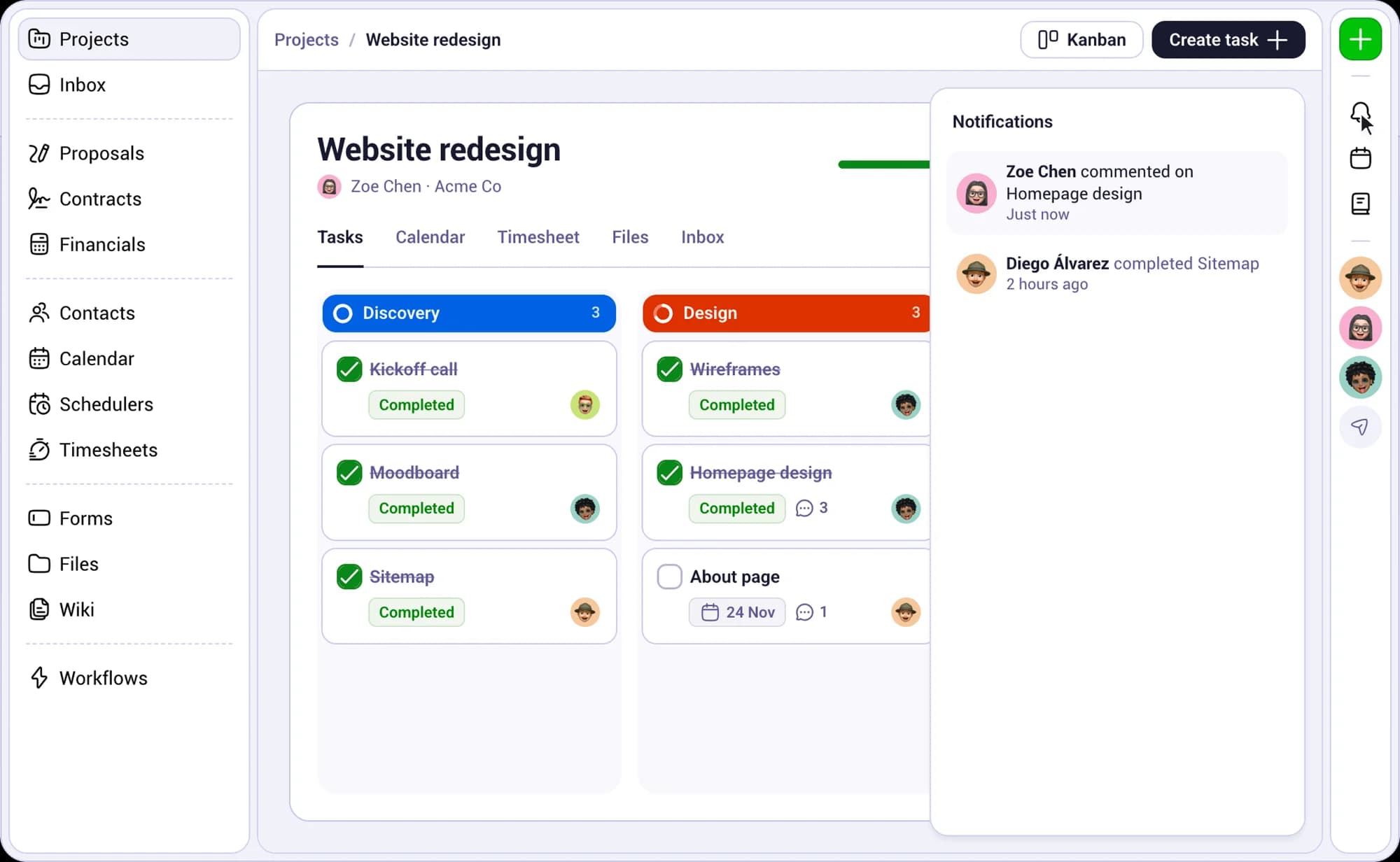
Plutio brings project tracking, proposals, contracts, time logs, and a customizable client portal together in one flexible workspace. You can use a visual drag-and-drop builder to rearrange blocks on your portal pages so each client sees only the widgets relevant to their project.
It is priced accessibly for solo freelancers and supports custom domains and branding. Like other multi-tool platforms, its flexibility means you will spend some time dialing in your layout before onboarding clients.
Key features
- Drag-and-drop page builder for tailoring client portal layouts
- Combined proposals, contracts, tasks, time tracking, and invoicing
- Multi-language support and custom domain white-labeling
- Built-in inbox and real-time project commenting
Why consider Plutio: It gives you visual control over how your portal is arranged while keeping proposals, tasks, and billing under one subscription.
9. Wayfront (Service Provider Pro)
via Wayfront
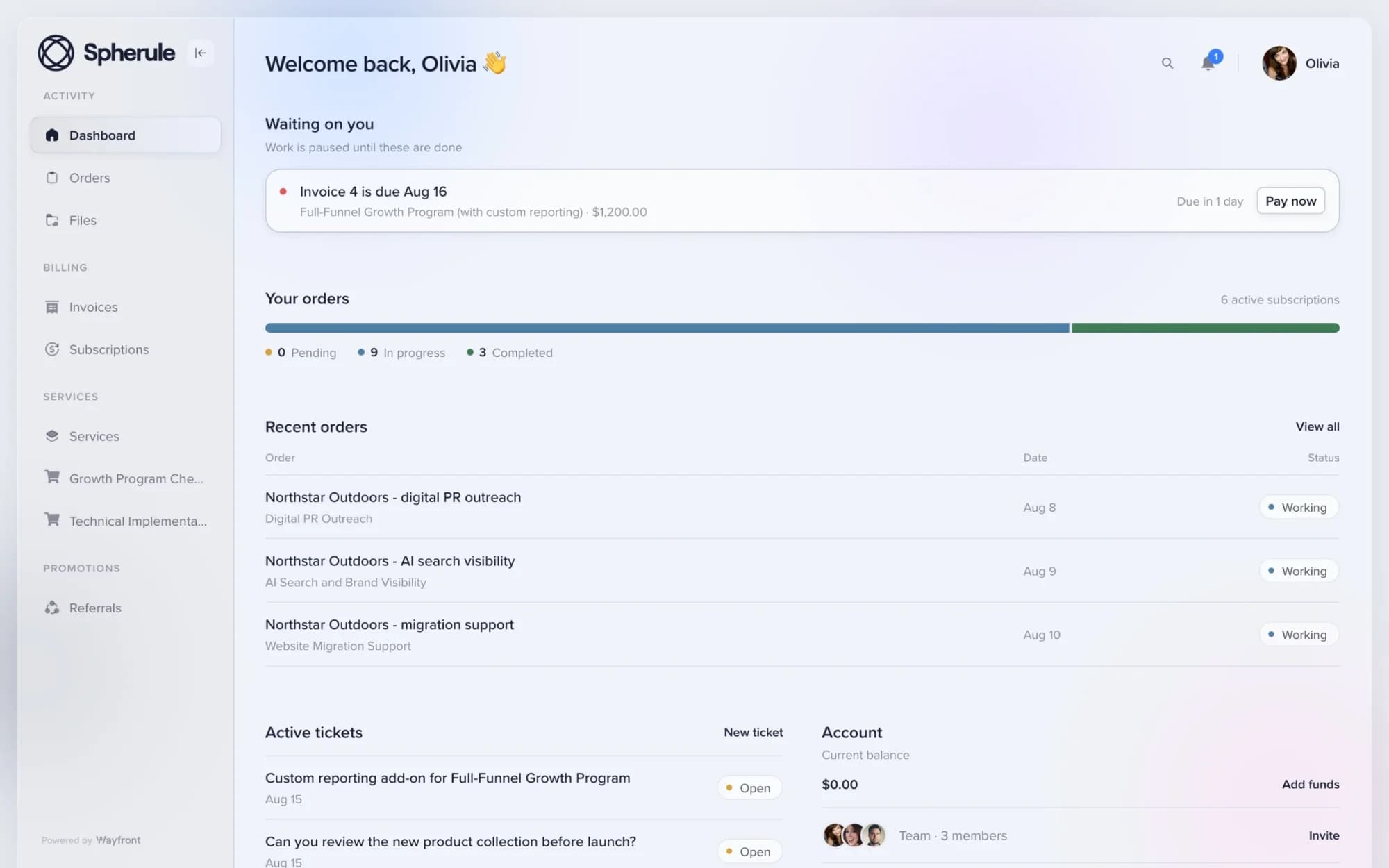
Service Provider Pro is purpose-built for businesses that sell repeatable services, such as monthly design retainers, SEO packages, or copywriting credits, rather than custom-scoped projects. Its client portal centers on an order-based workflow: clients purchase a package, complete an intake form, and track order progress in one dashboard.
If you run a traditional custom-quote freelance practice, SPP's storefront and ticket-style order structure can feel rigid. For productized service operators, however, it streamlines recurring delivery cleanly.
Key features
- Client portal organized around active orders, intake forms, and status updates
- Built-in service catalog and checkout flow for one-off or recurring packages
- Team assignment and internal notes hidden from client view
- Subscription management and automated billing cycles
Why consider SPP: It removes the back-and-forth of custom proposals if you package your freelance expertise into standardized, repeatable offerings.
10. Notion (with templates)
via Notion
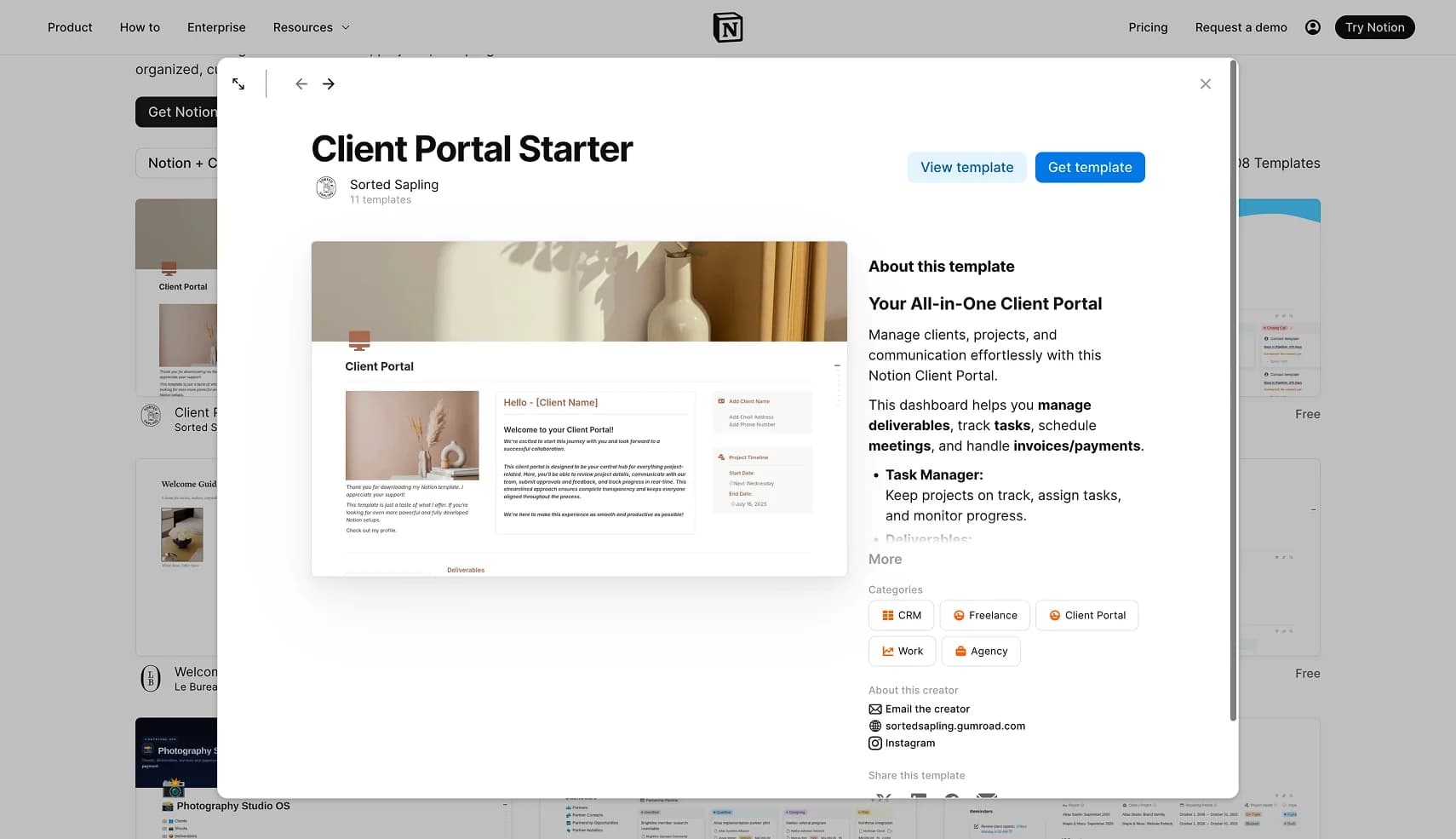
While Notion is a connected workspace rather than a dedicated client portal platform, thousands of freelancers use shared Notion pages as client hubs. You can combine a project roadmap, embedded Figma or Loom links, meeting notes, and deliverable checklists on a single clean page.
It is inexpensive, fast to spin up, and familiar to many modern clients. The limitation is that Notion lacks native invoicing, formal document execution, and strict multi-client isolation unless you carefully duplicate templates and manage page-level sharing permissions by hand.
Key features
- Flexible page layouts combining timelines, databases, checklists, and embedded media
- Real-time commenting and collaborative document editing
- Zero extra software cost if you already use Notion internally
- Clean, distraction-free reading experience for clients
Why consider Notion: If you only juggle a couple of clients at a time and handle contracts and invoicing elsewhere, a well-structured Notion page is an easy starting point.
Which client portal should you choose?
The right client portal is the one your clients will actually open without asking you how to use it. If you only take on one or two small projects a year, a simple shared Notion page or tidy folder will cover your needs. Once you are balancing multiple active clients and want a dedicated space that keeps project stages, forms, documents, and invoices out of your inbox, moving to a purpose-built portal saves hours every week.
Try a calmer client portal with Wundesk
Wundesk gives freelancers and small studios a private, branded client portal that opens from a single link, with no account or password for your client to create. Keep your project stages, updates, forms, documents, and invoices together in one calm space. Wundesk is in beta, with access opening in January 2027. Join the waitlist to get early access.
Everything you need to fix the broken client experience
Written by
Nikki Bell · Founder, Wundesk
Product designer who freelances. Building Wundesk to replace the stack of tabs between a brief and a paid invoice.
Connect with Nikki